Create a new account
When you use Carez for the first time, start by creating an account. You can register with an email address or with your Apple account. You can also skip account creation.
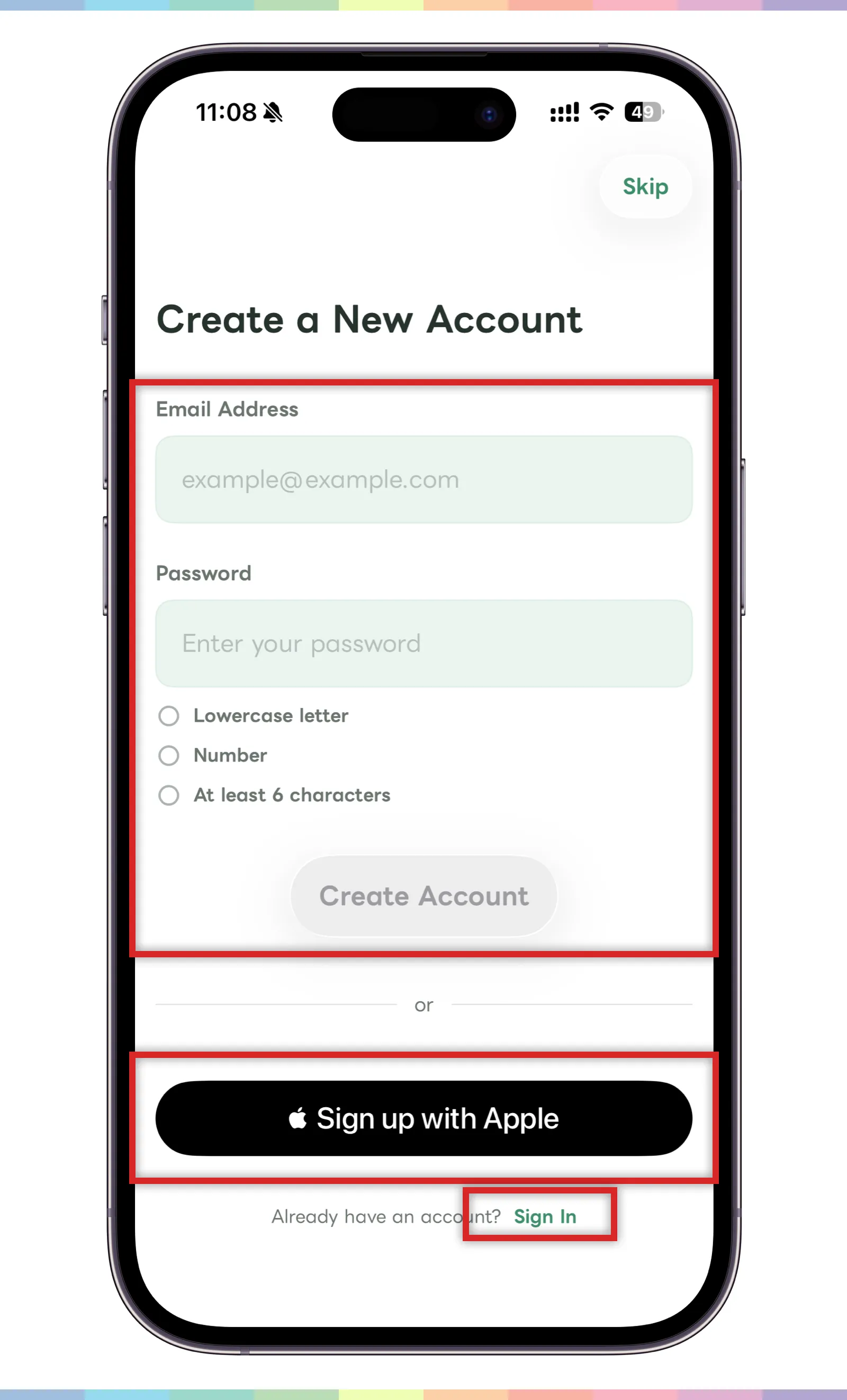
- To register with email, enter your email address and password.
- The password must meet the conditions shown on the screen, such as lowercase letters, numbers, and at least six characters.
- Once the input meets the requirements, continue with the create account button.
- To register with your Apple account, tap “Register with Apple.”
- If you want to start without creating an account, tap “Skip” in the top right.
- If you already have an account, move to the sign-in screen from the link at the bottom.
Use the same email address or login method when you sign in again. It helps to remember which method you used when creating the account.
If you skip account creation, your data may not be recoverable if you log out or uninstall the app before saving your account. If you plan to keep using your records, create and save your account early.
Sign in
If you already created an account, use the sign-in screen to continue using Carez.
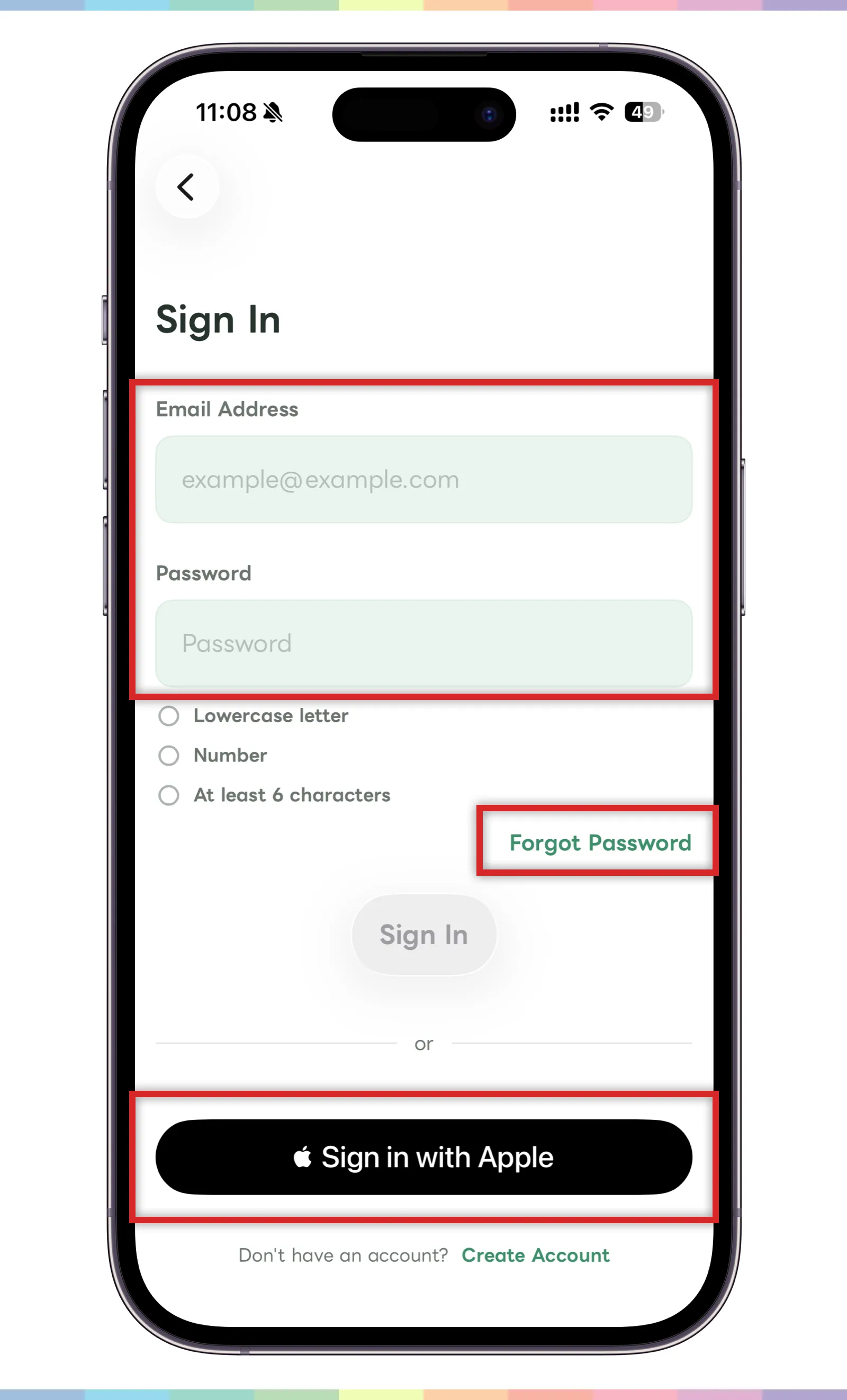
- If you registered with email, enter your email address and password.
- If you forgot your password, use the password reset link.
- If you registered with Apple, tap “Sign in with Apple.”
- If you do not have an account yet, return to account creation from the link at the bottom.
If sign-in does not work, check that you are using the same login method you used when creating the account.
Create your profile
After creating your account, set up the profile that appears inside Carez.
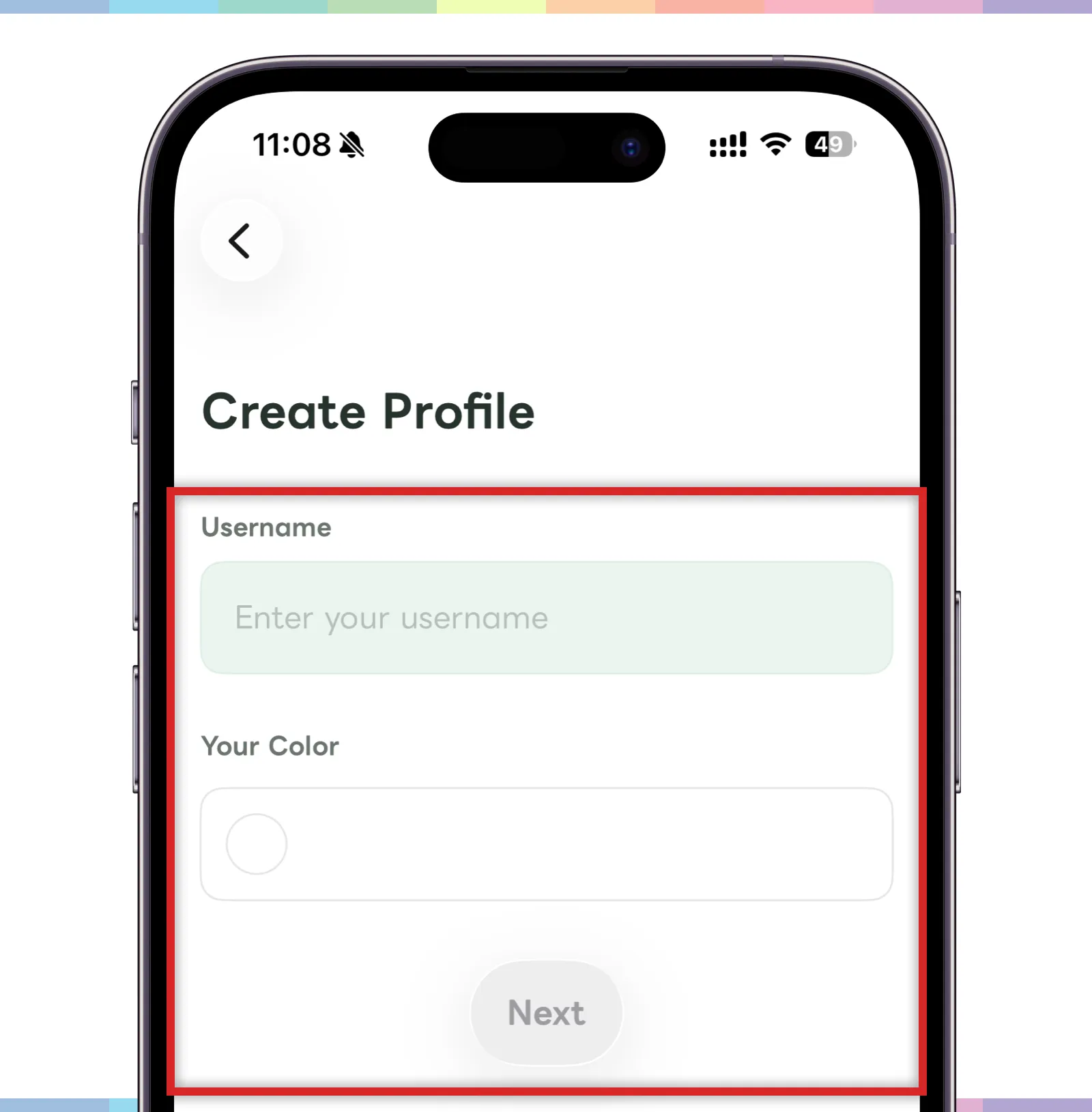
- Enter your user name.
- Choose a personal color so family members can recognize you more easily.
- When the input is complete, tap “Next.”
Your user name and color help family members understand who created a post or reply. Choose a name that will be clear to the family members using Carez with you.