
Choose how to start
After creating your profile, choose how to start Carez. If you want to register someone whose records and schedules you will share, such as a grandparent or parent, choose “Register someone to watch over.” If your family has invited you, choose “Join an existing family.”
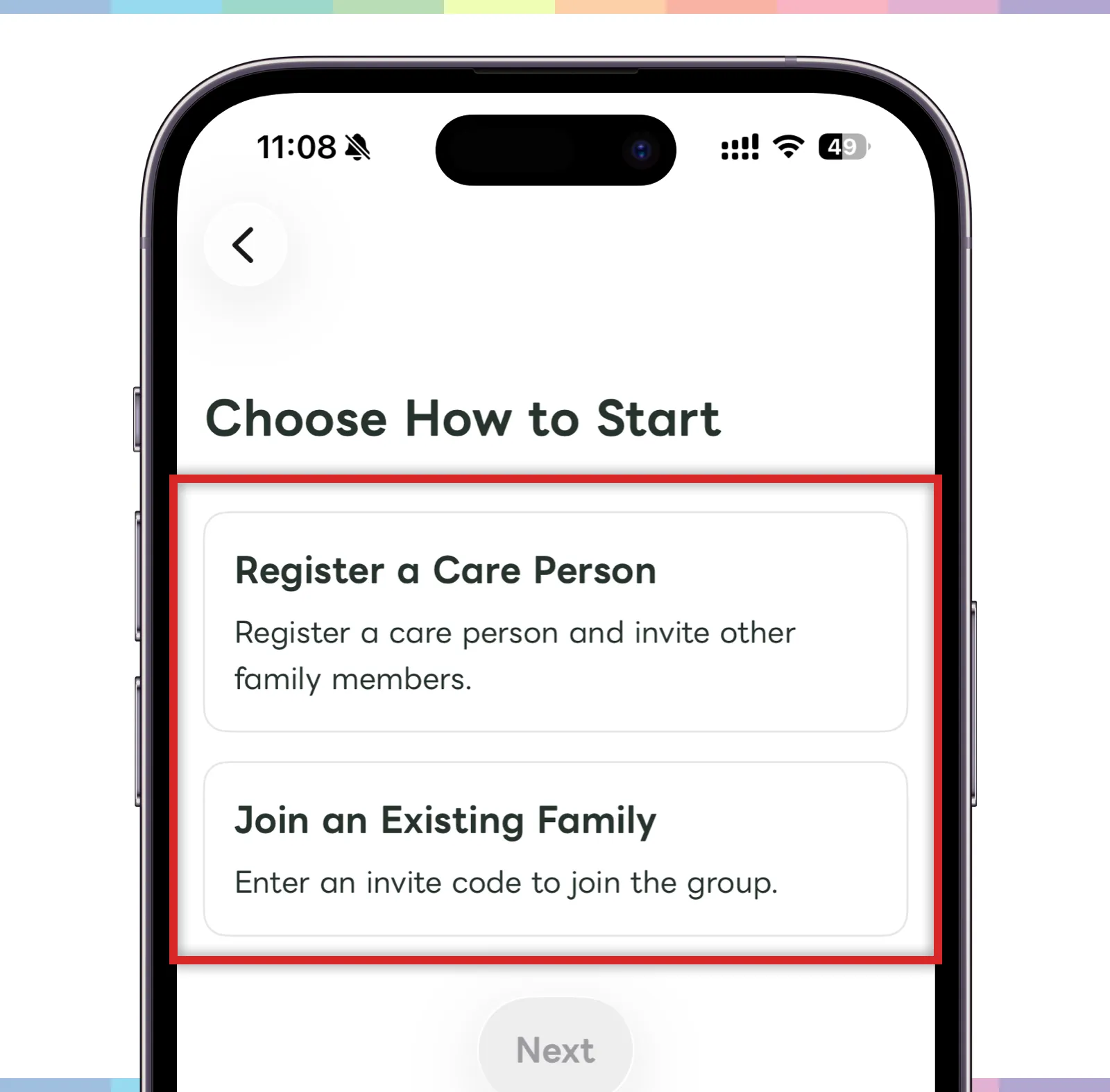
- If you are starting a new family care record, choose “Register someone to watch over.”
- If you received an invitation code from your family, choose “Join an existing family.”
- After choosing an option, continue to the next screen.
The person you watch over is the person whose records and schedules are saved in Carez. For example, this may be your grandfather, grandmother, father, or mother: someone whose daily situation you want to share with the family.
Register someone to watch over
If you are the first person starting Carez, enter the name of the person you want to watch over.
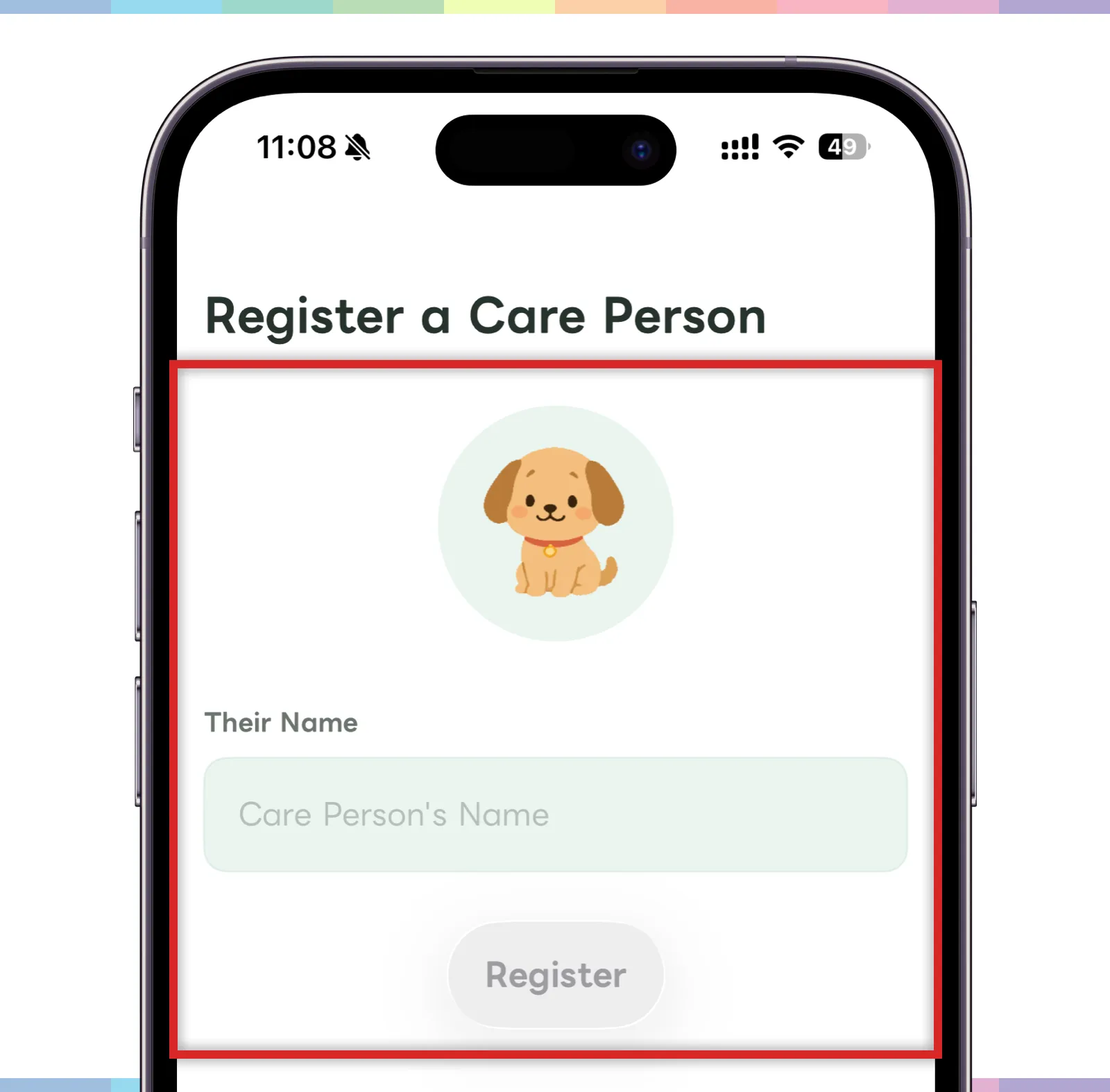
- Enter the person’s name.
- The icon at the top helps identify the person you are registering.
- When the input is complete, tap the registration button.
- After registration, you can manage that person’s schedules and records from the home screen.
If you plan to share the space with family, choose a name that family members can recognize easily.
Join an existing family
If someone in your family already uses Carez, enter the invitation code to join.
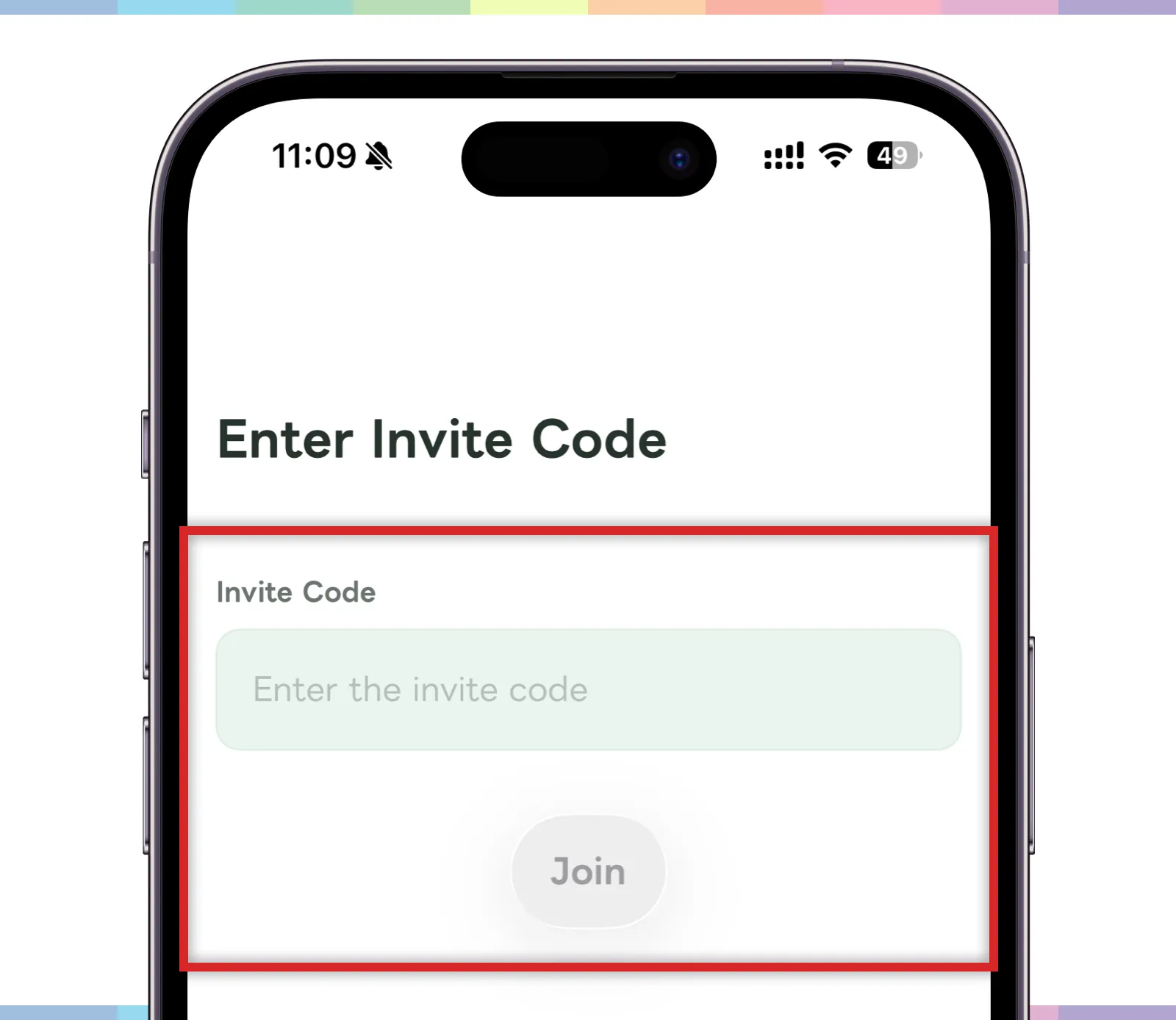
- Ask the inviting family member for the invitation code.
- Enter the code in the invitation code field.
- Tap the join button.
The invitation code is important information for joining a family group. Be careful not to share it with anyone outside the family group.
Add another person later
On the home screen, you can switch the currently selected person or add another person to watch over.
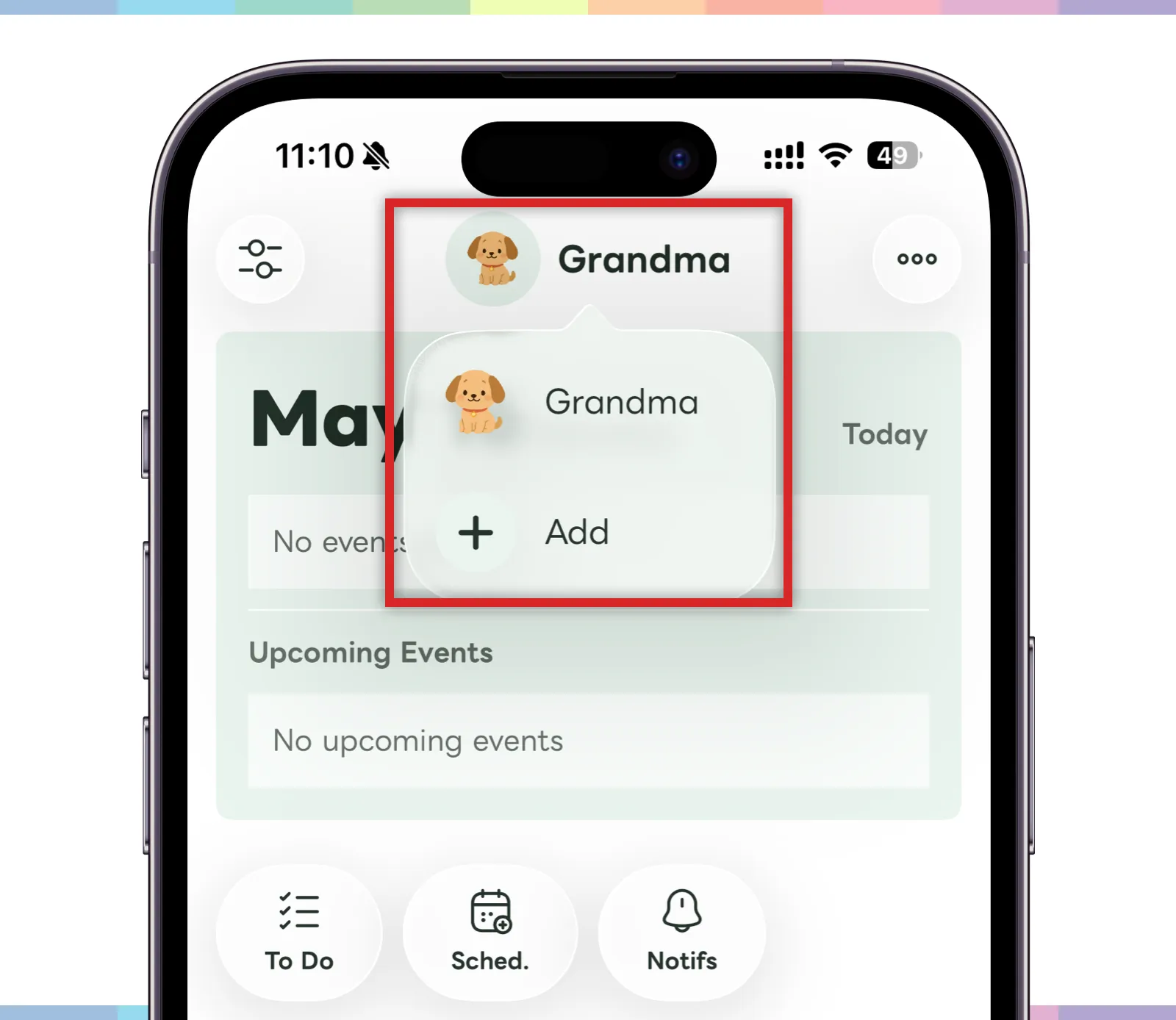
- Tap the name at the top of the home screen.
- The registered people will appear in a list.
- To switch to another person, tap that person’s name.
- To add someone new, tap “Add.”
- Enter the name on the registration screen to finish adding them.
When watching over multiple people, check the name at the top of the screen before creating posts or schedules.