
Open the record screen
Record posts are used to share daily updates with your family. You can freely post things like “I stopped by to check in today,” “I took them to the clinic,” or “They ate lunch well today.”
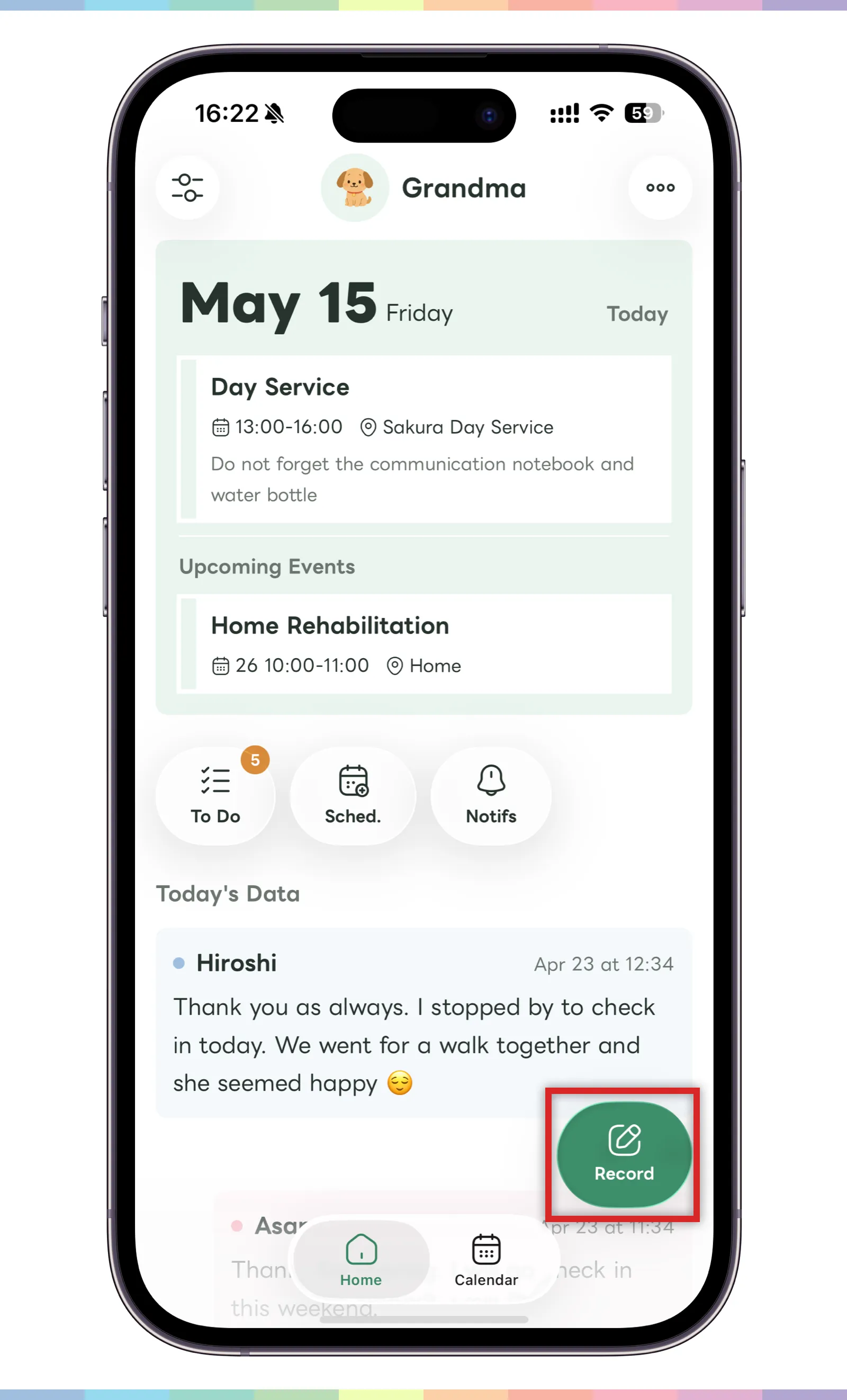
- Tap the “Record” button in the bottom right of the home screen.
- The post creation screen will open.
You can use it for anything from a small note to an update for the family, without needing to follow a strict format.
Create a post
On the post creation screen, enter the text you want to save. A simple note can help the family look back later.
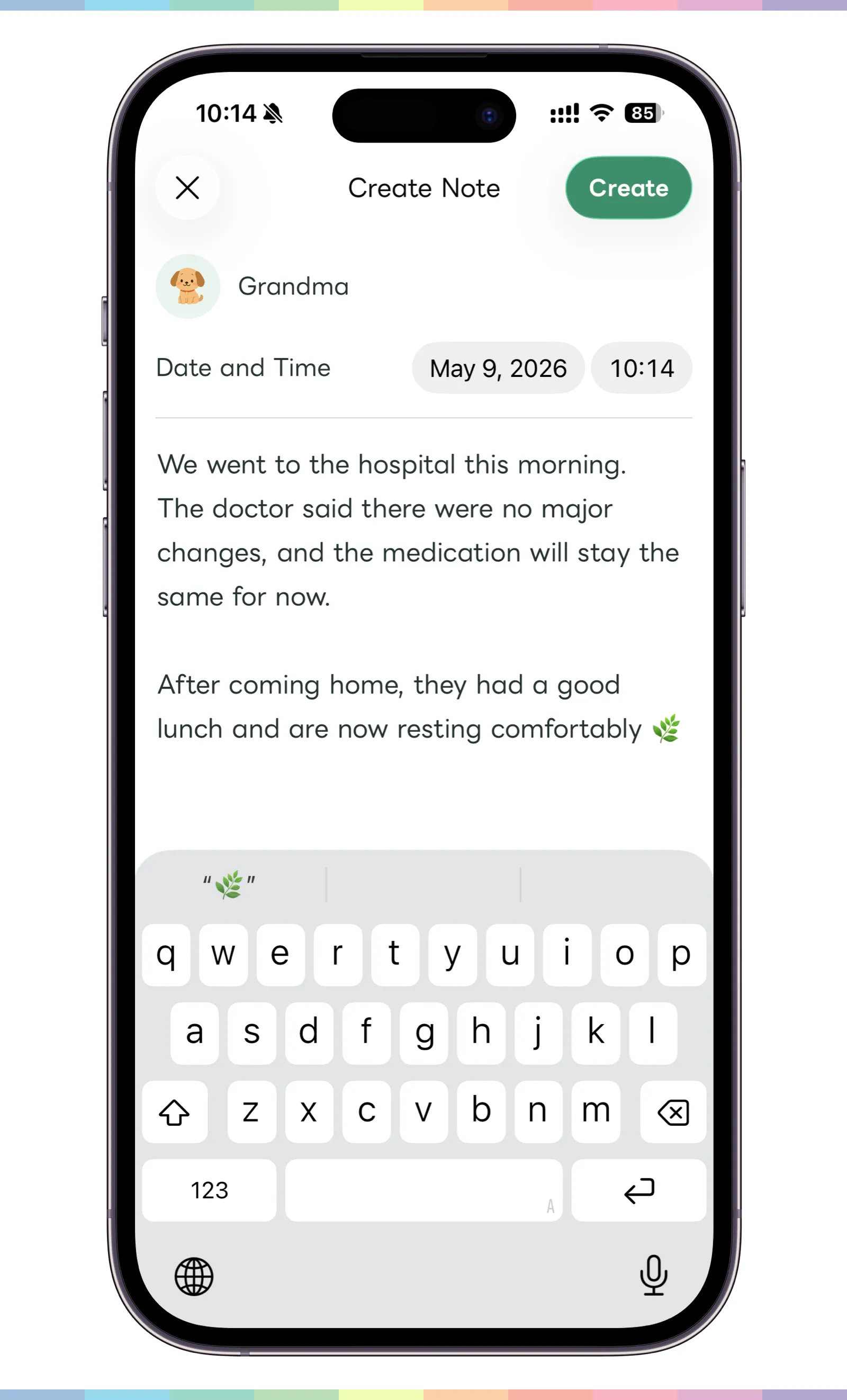
- Enter what happened that day or what you want to share with the family.
- Freely write details such as clinic visits, meals, condition, or medicine.
- When the input is complete, tap “Create” in the top right.
Edit a post
Created posts can be checked from the home screen or calendar screen.
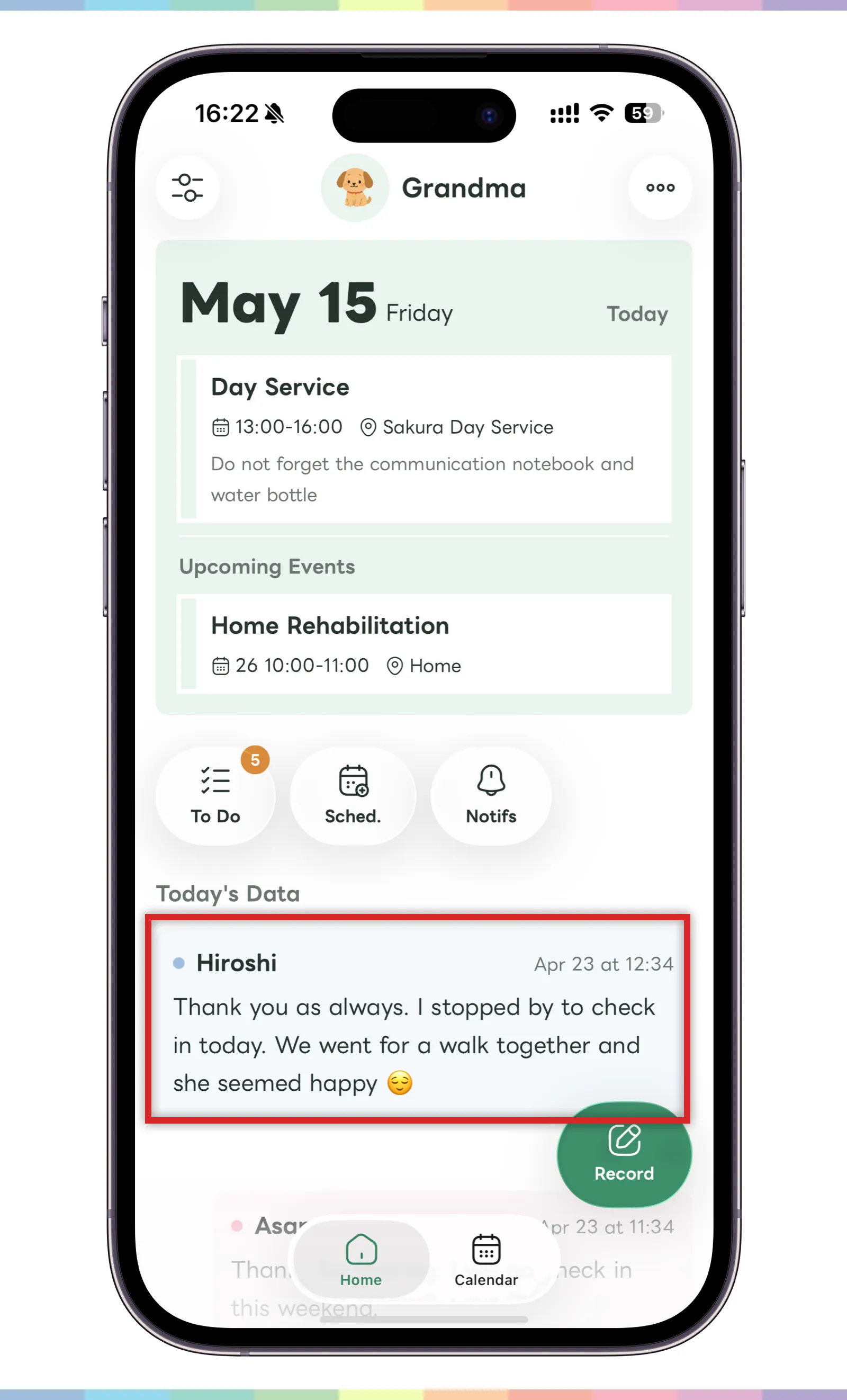
- Find the post you want to edit on the home screen or calendar screen.
- Long-press the post.
- If it is a post you created, an edit button will appear.
- Use the edit button to update the content.
Please note that everyone in the family group you belong to can see the post.